Published: 2026-10-04
Short answer: Do not rename .png to .ico. Export the PNG into an ICO that contains several square sizes (16, 32, 48, 64, 128, and 256). Windows and browsers then pick the size they need from that one file.
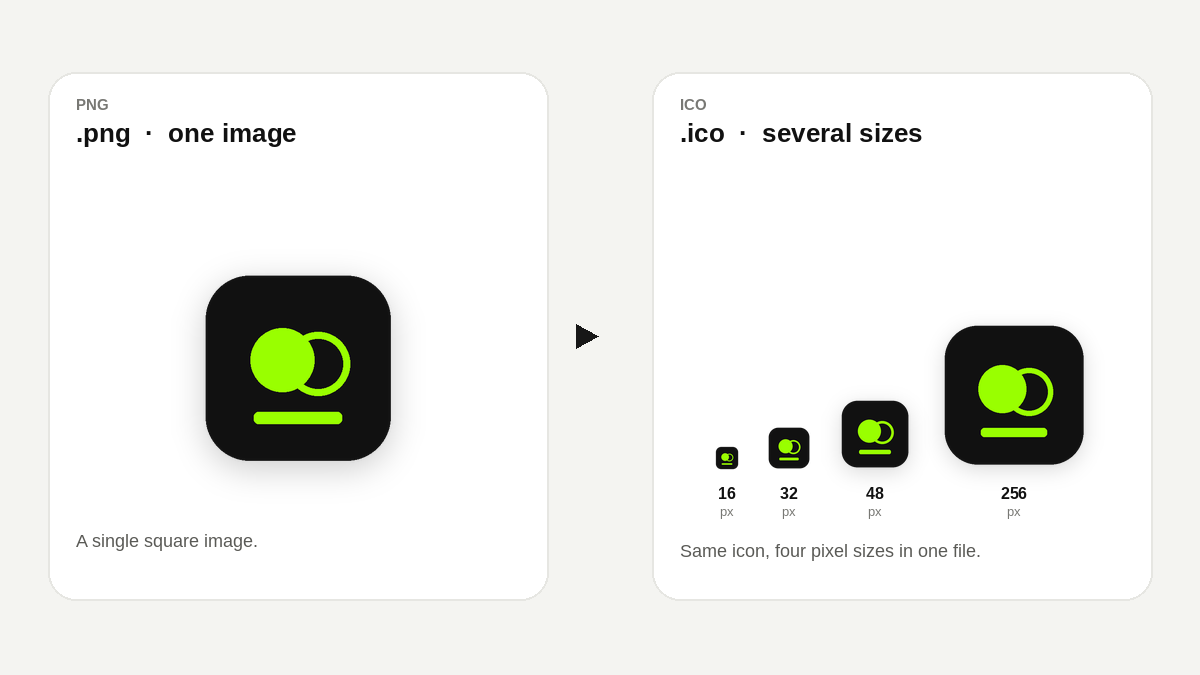
A PNG is a single image. An ICO file is a container: it stores the same icon at more than one pixel size. A site favicon and a Windows shortcut both look for those sizes. Changing the file extension leaves the bytes as a PNG, so the icon looks blank or blurry.
Start from a square PNG at least 256×256. A 512×512 source stays sharper when it is scaled down. Transparency can be kept, because each size is stored as a PNG frame inside the ICO.
.ico. If you are making a site icon, also take the favicon pack and the <link> snippet from the same page. IconToGo